
Real OpenSCAD
Not a look-alike interpreter: OpenSCAD itself (a 2025 development snapshot with the Manifold kernel) compiled to WebAssembly. Modules, functions, recursion, list comprehensions, include and use behave exactly as on the desktop.
Paste code, or drop in a .scad file or a whole project folder: real OpenSCAD runs in your browser and renders the model half a second after you stop typing. color(), % background and # highlight look as they do when you press F5 on the desktop. No install, no sign-up, and nothing is uploaded.
Not a look-alike interpreter: OpenSCAD itself (a 2025 development snapshot with the Manifold kernel) compiled to WebAssembly. Modules, functions, recursion, list comprehensions, include and use behave exactly as on the desktop.
Half a second after the last keystroke the model is redrawn — no button. The parameter panel reads Customizer comments; drag a slider and the value is written back into the source.
color() follows the geometry through booleans; faces cut by a difference() show in green; % draws translucent grey and # translucent pink. $preview is true.
Drop the folder and include / use resolve against your real layout. MCAD, Write.scad and BOSL2 are built in and mounted when used. Text is shaped with OpenSCAD's own Liberation fonts; put a .ttf in the project for others.
“Copy link” puts the current code into the URL, so whoever opens it sees the model. An AI assistant can hand you such a preview link for the code it writes.
Happy with the preview? The same page rebuilds the model as real B-rep STEP for Fusion, SolidWorks and FreeCAD. That is the converter, beyond the viewer — see OpenSCAD to STEP.
It opens with this code already rendered; change a line and it redraws half a second later.
// A bracket: a plate with two slots and a stiffening rib
$fn = 48;
difference() {
  union() {
    cube([60, 30, 4]);
    translate([0, 0, 4]) cube([60, 4, 16]);
  }
  for (x = [12, 48]) translate([x, 17, -1]) hull() {
    cylinder(h = 6, d = 5);
    translate([0, 6, 0]) cylinder(h = 6, d = 5);
  }
}
%translate([-5, -5, 0]) cube([70, 40, 1]); // the sheet it mounts on, shown only
#translate([30, 2, 10]) rotate([-90, 0, 0]) cylinder(h = 4, d = 3); // a pin, highlightedEach opens already rendered in your browser. Drag the Customizer sliders to resize it. No sign-up.
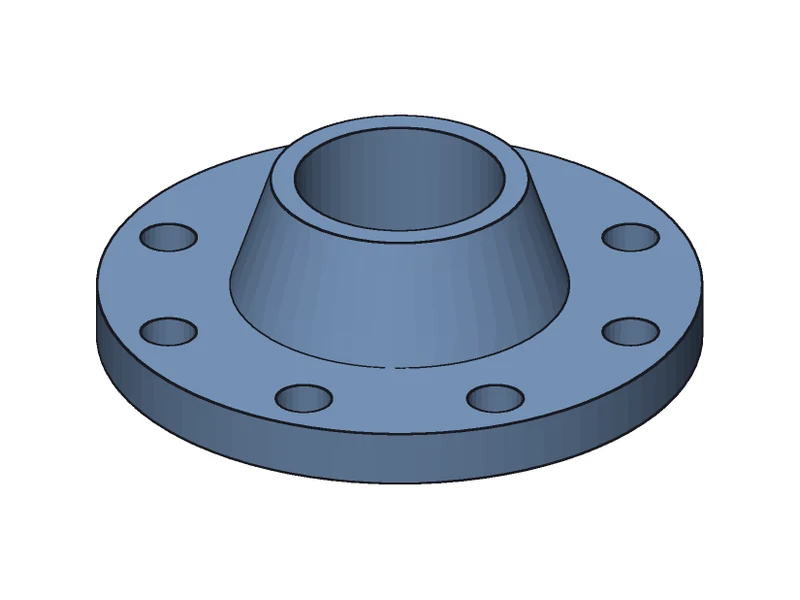
A revolved profile with a tapered hub and a bolt circle.
Open the preview →

The entry file uses an involute gear library in lib/ — multi-file projects resolve as they are.
Open the preview →
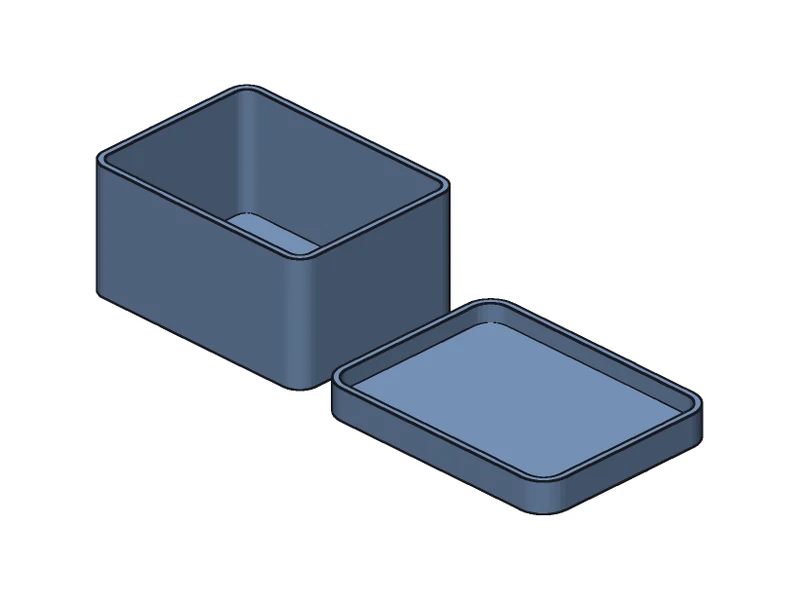
Size, wall, corner radius and lid fit are Customizer parameters; drag a slider and it rebuilds.
Open the preview →
| Desktop OpenSCAD | This viewer | |
|---|---|---|
| Install | Download an installer | Open a web page |
| What runs your code | OpenSCAD | The same OpenSCAD, compiled to WebAssembly |
| Preview | F5: OpenCSG | Real geometry from Manifold, coloured by the F5 conventions |
| Multi-file projects | Open the entry file | Drop the folder |
| Sharing | Send the file | One link with the code in it |
| Export | STL / 3MF / OFF / AMF | STEP (real B-rep); STL not yet |
| Animation ($t) | Yes | No |
A URL of the form https://app.forgent3d.com/scad#code=<code>, where <code> is the .scad source percent-encoded (what encodeURIComponent produces) or base64 / base64url. After # the code never leaves the browser and there is no length limit. When ChatGPT, Gemini or Claude writes OpenSCAD for you, ask it to add such a link: it opens with the model already rendered.
https://app.forgent3d.com/scad#code=<CODE>Prompt to try
Write OpenSCAD for a ___ and give me a Forgent3D preview link: https://app.forgent3d.com/scad#code=<the code, encodeURIComponent-encoded>Yes. The code is executed by OpenSCAD itself — a 2025 development snapshot with the Manifold geometry kernel — compiled to WebAssembly and running in your browser. The language, the bundled libraries and the Customizer comments behave as on the desktop.
That is OpenSCAD's own preview (F5) convention: faces left behind by an object subtracted with difference() are drawn in the “back face” colour, green in the default scheme. The viewer keeps the convention; an object with its own color() keeps that colour.
Yes. Drop in the whole downloaded folder so the files it includes come along. MCAD, Write.scad and BOSL2 are built in.
No. OpenSCAD runs in your browser and the .scad files are never uploaded; code after # in a link is not sent to the server either.
A typical model renders in under a second. A model that flattens to more than 150,000 nodes (loops unrolled) is beyond the in-browser build and says so. A long render can be stopped at any time.
The preview is OpenSCAD's own render, with circles as $fn facets. For the STEP export a CAD kernel rebuilds every primitive and boolean as exact geometry, so a circle is a true cylinder. Colours exist only in the preview; a STEP carries none.
Paste it into the viewer, or ask the assistant for a link of the form https://app.forgent3d.com/scad#code=<code> — it opens with the model already rendered.