
Is this Thingiverse's Customizer?
No. It is an independent tool that runs real OpenSCAD in your browser. Thingiverse is not involved, and you need no Thingiverse account.
Found a customizable model on Thingiverse — or anywhere else — and want it in your own size? Load its files here. Real OpenSCAD reads the Customizer comments in the code and gives you sliders, drop-downs and checkboxes; every change re-renders in your browser, and the STL you export is exactly what you see. No account, no waiting in a queue, and the files never leave your computer.
01
On the model's page, download all of its files and unzip them. A customizable model comes with its .scad file; keep everything that came with it in one folder.
02
Open the customizer and click “Load project folder”, or drag the folder onto the page. If there are several .scad files, pick the main one in the entry list.
03
The parameters appear in the groups the author set up. Each change re-renders the model half a second later.
04
Save a binary STL of exactly what is on screen and slice it as usual. STEP is one click away if you want to keep working in CAD.
OpenSCAD itself reads the parameters, by the same rules as the Customizer in desktop OpenSCAD, so most files written for Thingiverse's Customizer work as they are.
| In the .scad | You get |
|---|---|
| width = 60; // [20:150] | A slider from 20 to 150 |
| wall = 2; // [1:0.5:5] | A slider in steps of 0.5 |
| shape = "round"; // [round, square, hex] | A drop-down |
| holes = 4; // [2:Two, 4:Four, 6:Six] | A drop-down with labels |
| lid = true; | A checkbox |
| label = "Tools"; | A text box |
| size = [40, 30, 20]; | One box per number |
| // Lid clearance (mm) | The comment line just above a variable becomes its label |
| /* [Lid] */ | Starts a group (a tab on Thingiverse) |
| /* [Hidden] */ | Nothing after it is shown |
Only plain values assigned at the top of the file, before the first module, become parameters — the same rule as desktop OpenSCAD.
Many customizable models load Thingiverse's utils/build_plate.scad, Write.scad for lettering, or MCAD for gears and fasteners. All of them are built in, and so is BOSL2, so these files work without hunting for the libraries.
Each opens already rendered, with its parameters in the panel. Change them, then export the STL. No sign-up.
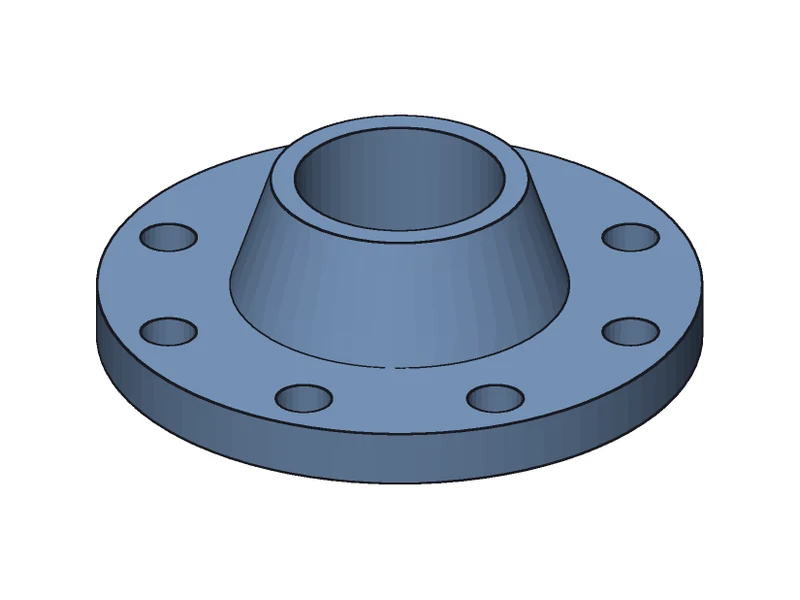
Flange, pipe and bolt groups: change the bolt count and the holes respace around the circle.
Open and customize →
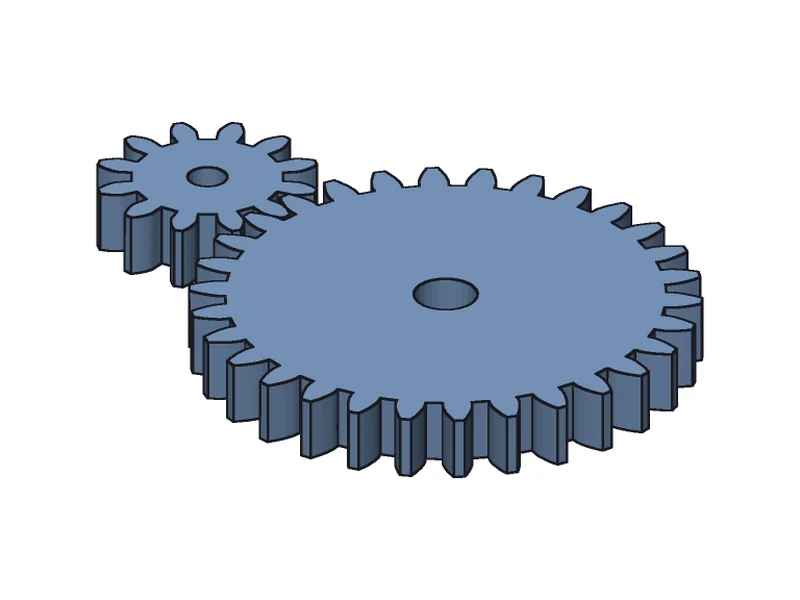
Tooth counts, module and bores as parameters; the gear library sits in lib/ beside the entry file.
Open and customize →
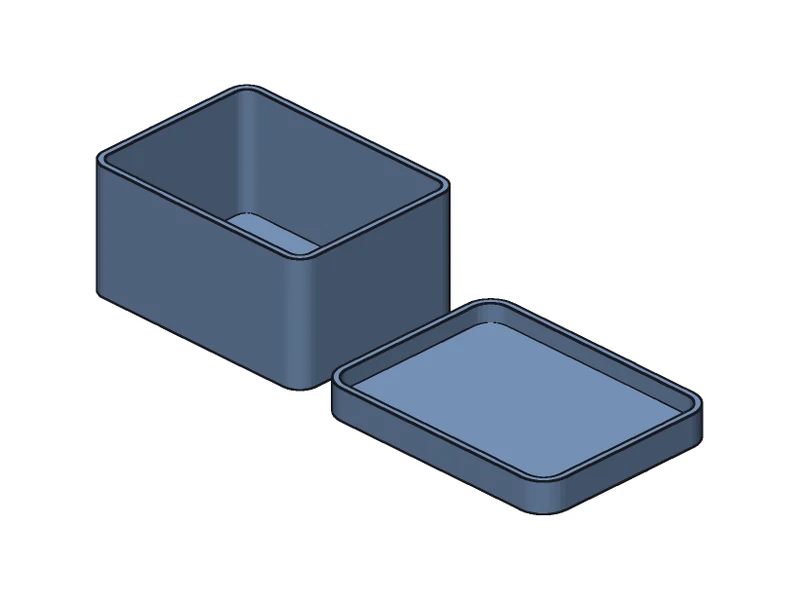
Two groups, Box and Lid: size, wall, corner radius, lid height and fit.
Open and customize →
| Desktop OpenSCAD | This page | |
|---|---|---|
| Install | Download and install | Open a web page |
| Parameter panel | Window → Customizer | Opens with the model |
| When a value changes | The preview updates if automatic preview is on | It re-renders half a second later |
| Saving your values | Parameter sets in a .json file | Written into the .scad itself |
| Export | STL, 3MF, OFF, AMF and more | STL, and STEP for CAD software |
No. It is an independent tool that runs real OpenSCAD in your browser. Thingiverse is not involved, and you need no Thingiverse account.
Yes, if the model comes as a .scad file with Customizer comments; where you downloaded it does not matter.
No. OpenSCAD runs inside your browser tab; the files and the values you pick stay on your computer.
The values you pick are written into the .scad code, and the browser keeps the code for your next visit. For a single-file model, “Copy link” puts the customized code into a link you can bookmark or share.
Not yet. Set the values with the sliders; they are written into the code itself.
Yes: keep them in the folder you load. import() and surface() read STL, OFF, OBJ, AMF, DXF, SVG, DAT and PNG files, and .ttf / .otf fonts in the folder can be used. The browser keeps the .scad files between visits but not these data files, so load the folder again next time.
Yes. No sign-up and no limits.
Got a .scad without Customizer comments? Convert it straight to STL.
Preview any .scad file with the desktop F5 colours.
Need the part in CAD software? Export real B-rep STEP.
Got OpenSCAD code from ChatGPT? See it, fix it, export STL.